Features
Everything you need to manage multiple projects and AI agents from one native macOS app.
Multi-Project Management
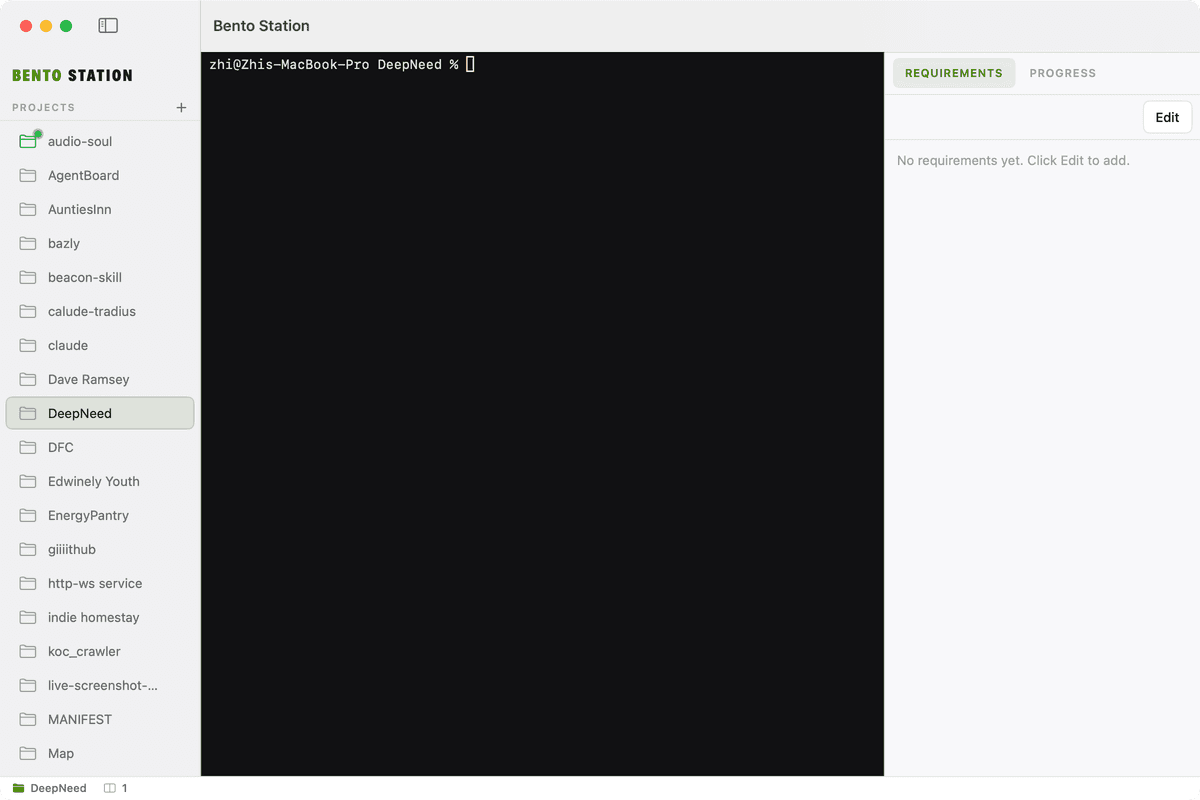
See all your projects in a clean sidebar. Pin frequently used ones to the top, add new projects with a click, and switch between them instantly. Each project maintains its own state — terminal session, requirements, and progress — so you never lose context.
Integrated Terminal
A full-featured terminal is embedded directly in each project view, powered by SwiftTerm. It automatically opens in the project directory, detects running processes, and supports all the tools you already use — git, npm, python, cargo, and more.
AI Agent Integration
Connect your preferred AI provider — Claude, OpenAI Codex, or any OpenRouter model — and run agents directly within each project. The unified command bar lets you dispatch tasks without leaving the app. AI agents work in the context of your project directory.
Requirements & Progress Tracking
Keep project requirements and progress notes right next to your code. The dedicated panel supports Markdown editing and renders beautifully. No more scattered docs or forgotten context.
Real-Time File Watching
Bento Station monitors your project directories for changes in real time. New files, modifications, and deletions are detected automatically, keeping the project view always up to date.
Native macOS Experience
Built with SwiftUI for macOS 15, Bento Station feels right at home on your Mac. Adaptive light and dark mode, native keyboard shortcuts, and smooth animations. Signed, notarized, and distributed outside the App Store for maximum flexibility.